WoodShed Music
Loop the hard parts, slow them down without changing pitch, put the whole chart in your key, pull the band apart — and train until it's yours. All on your own device, all offline.
Meet the Player ↓Section 01
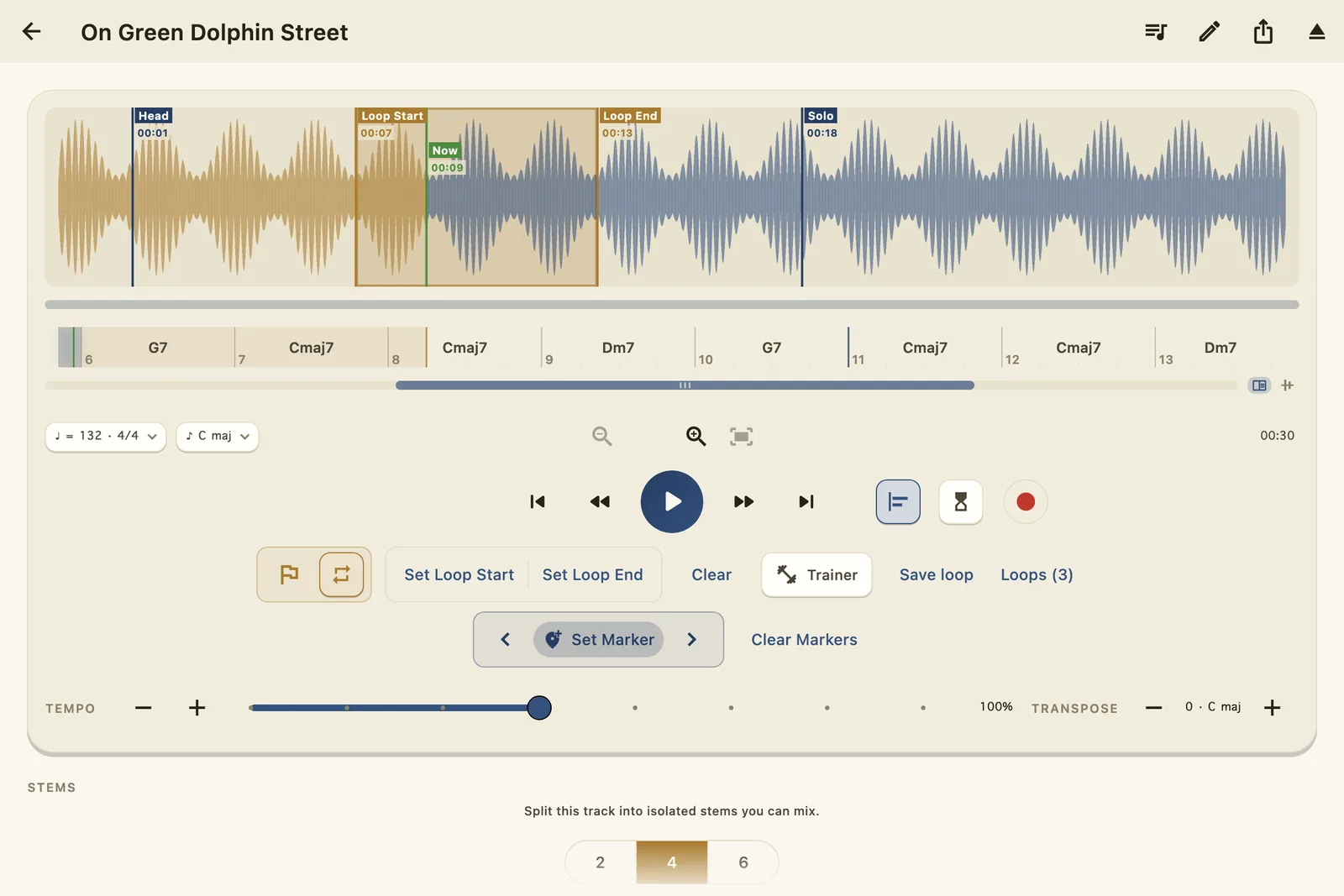
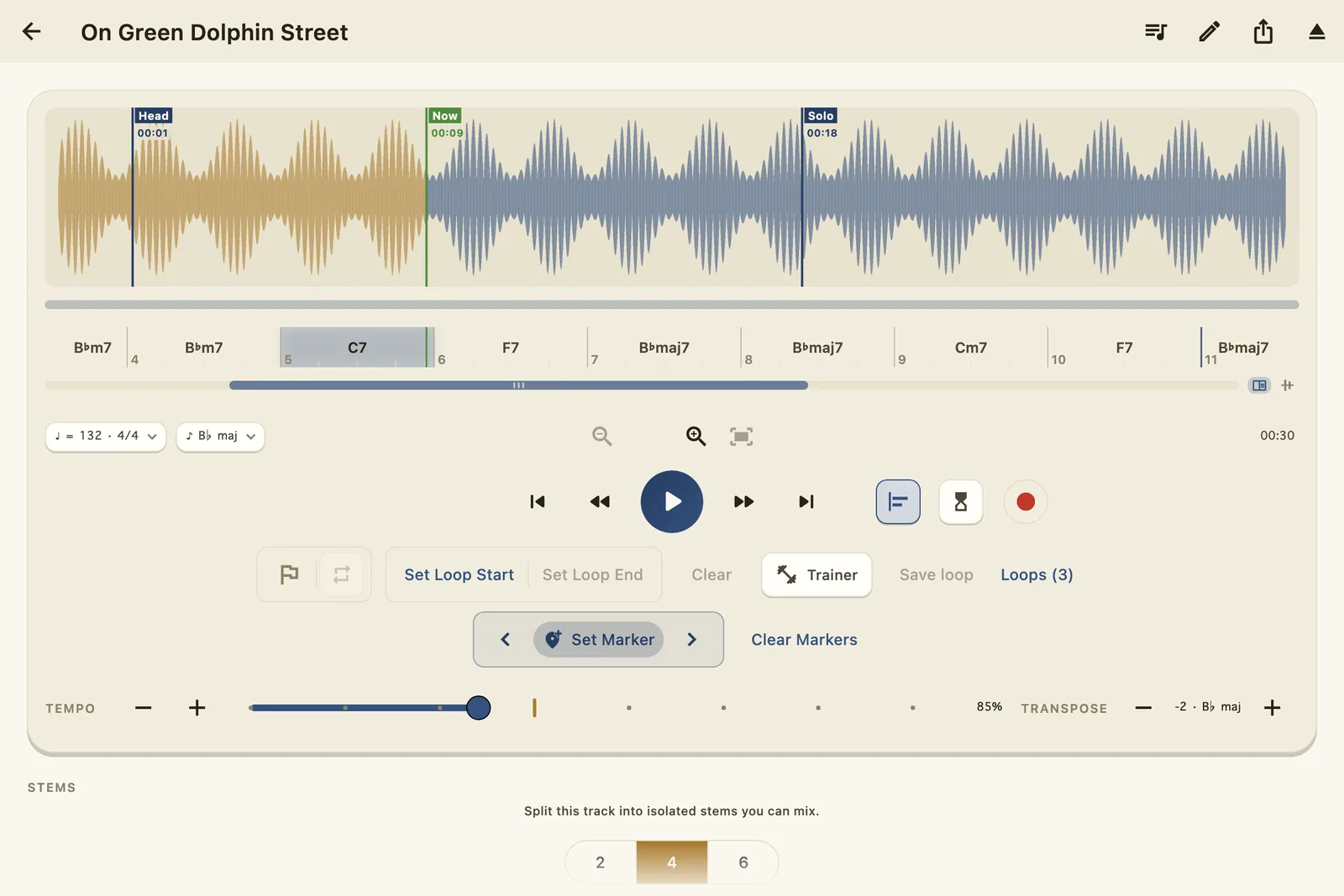
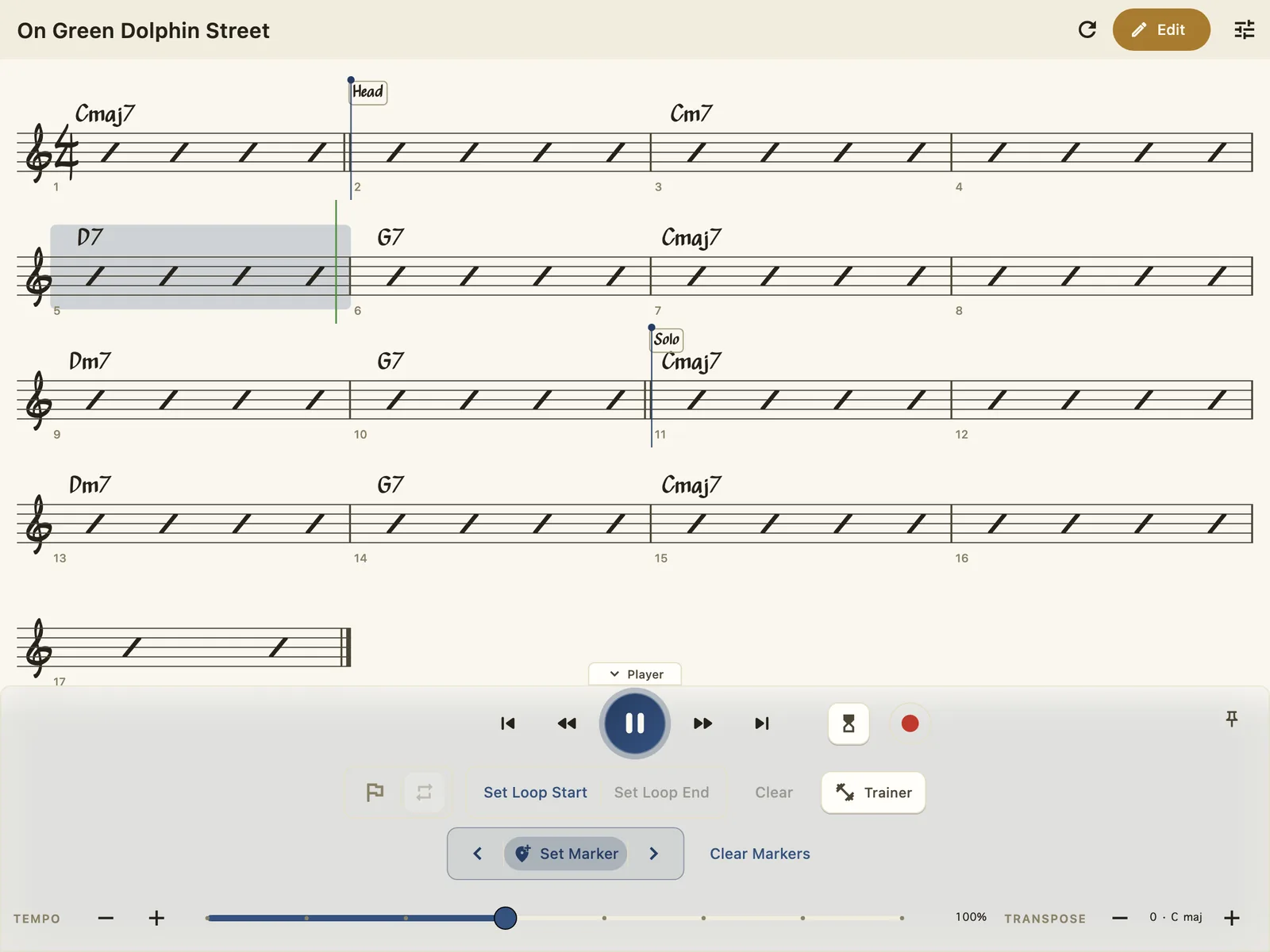
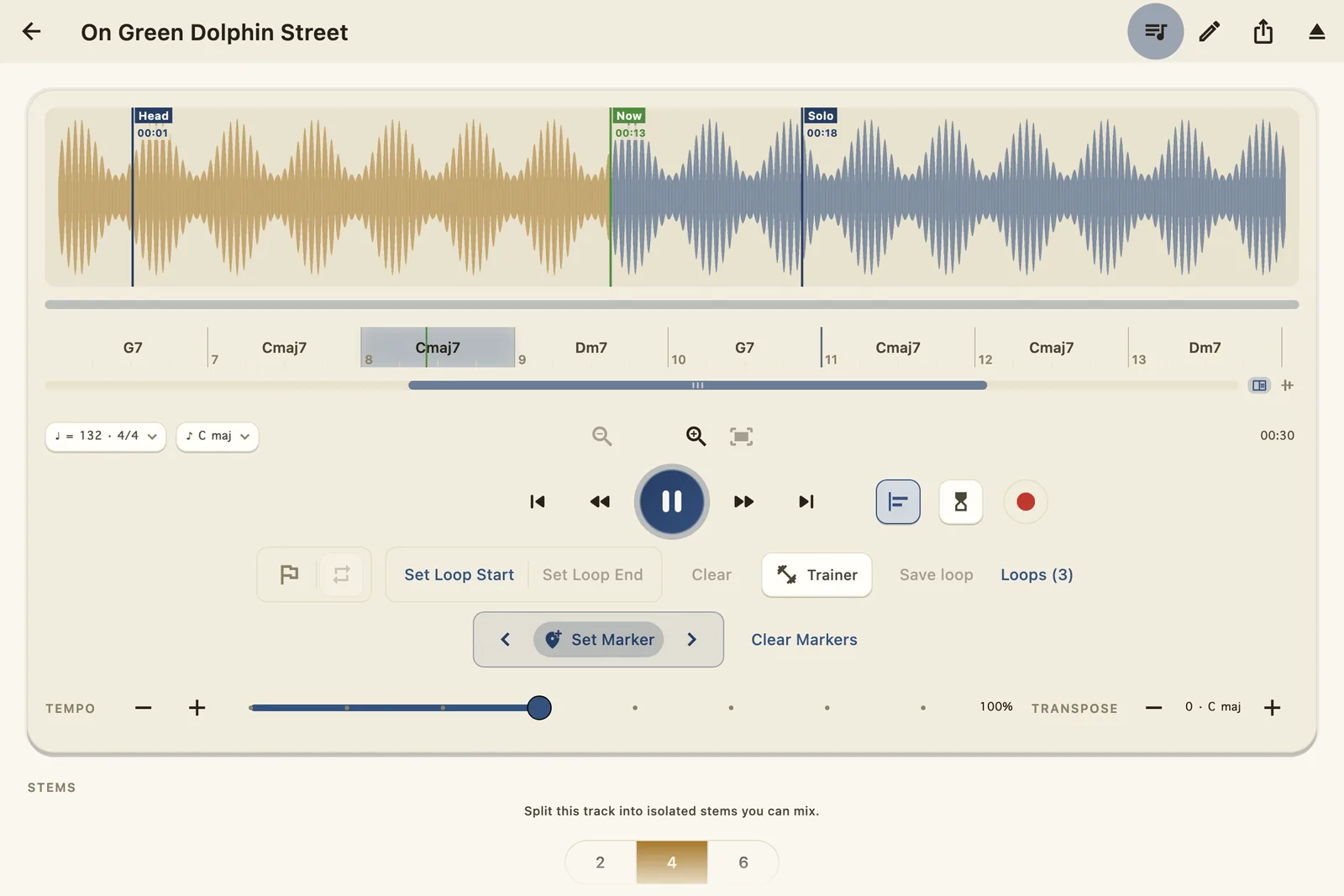
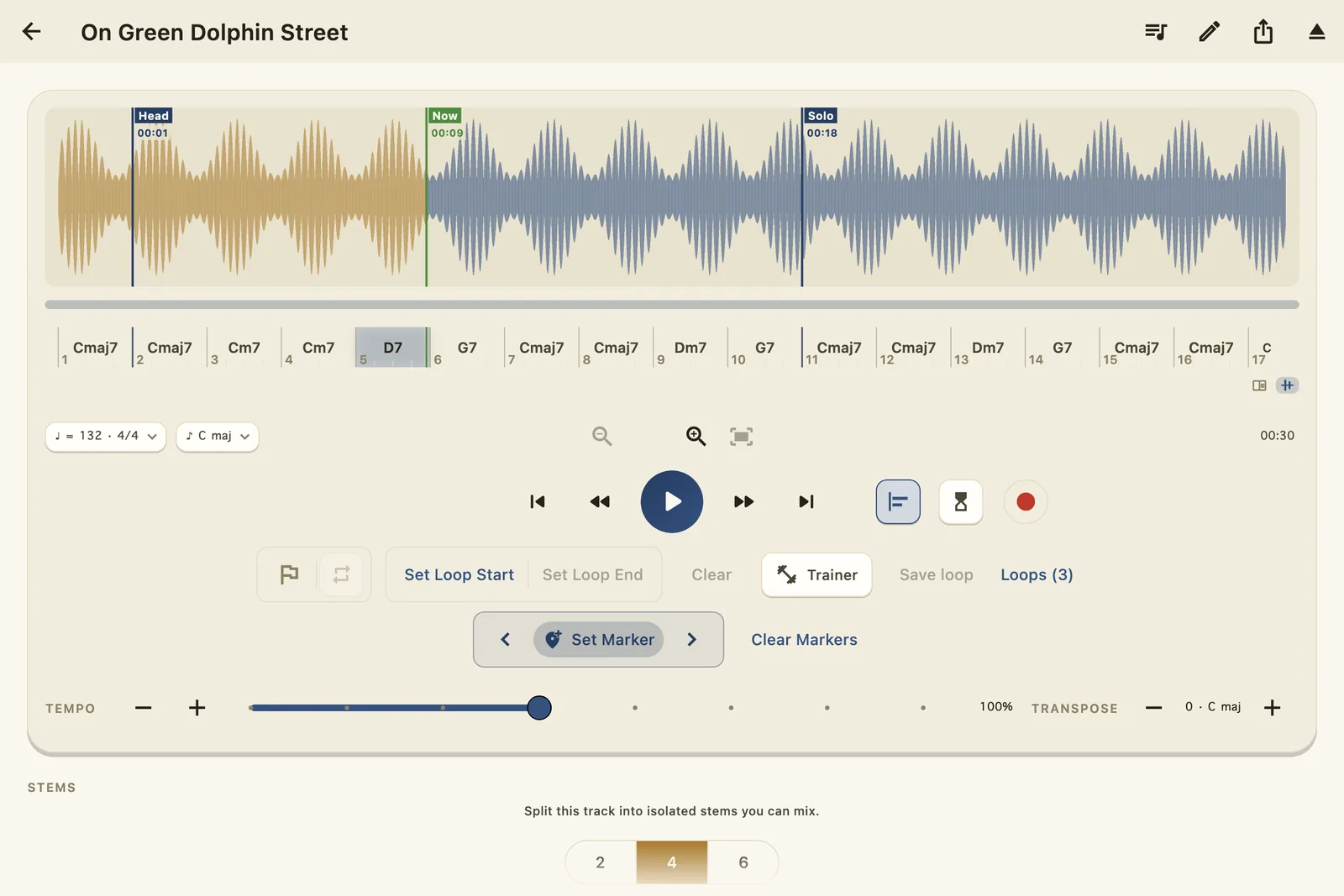
One screen with everything a working musician reaches for: the waveform, the changes, the loop, the trainer, the band, the record button. Shown here in WoodShed's Sheet Music theme — engraved ink on ivory.
01 · Waveform
Import anything — Files, iCloud Drive, AirDrop, your Music library — and WoodShed draws it as a clean, musical waveform. Double-tap to jump, pinch to zoom, and drop named markers on the map: Head, Solo, wherever the form turns.
Beat detection reads the song's own pulse (♩ = 132 here, and it knows it's in 4/4), so everything downstream — the bar grid, the count-in, the snap — lines up with the music.
Live — this one's playing
The changes slide under the playhead, and every beat ticks as it lands — this is Reader mode, rebuilt for the page. It follows the rain's tempo, so the slider below slows this too.
02 · Chord detection
WoodShed listens to the record and writes the chart: a bar-numbered chord lane that follows the music as it plays — Cm7 · D7 · G7, right where they sound. It names the key while it's at it.
Reader mode scrolls the changes past you like a bandstand chart; Snap mode locks them under the audio that sounds them. Every chord is editable — your ears outrank the model, always.
03 · Looping
Set A and B without stopping the music and the passage spins seamlessly — the loop lives in the native audio engine, so the seam never hiccups. Nudge either end to the beat until the loop is exactly the phrase.
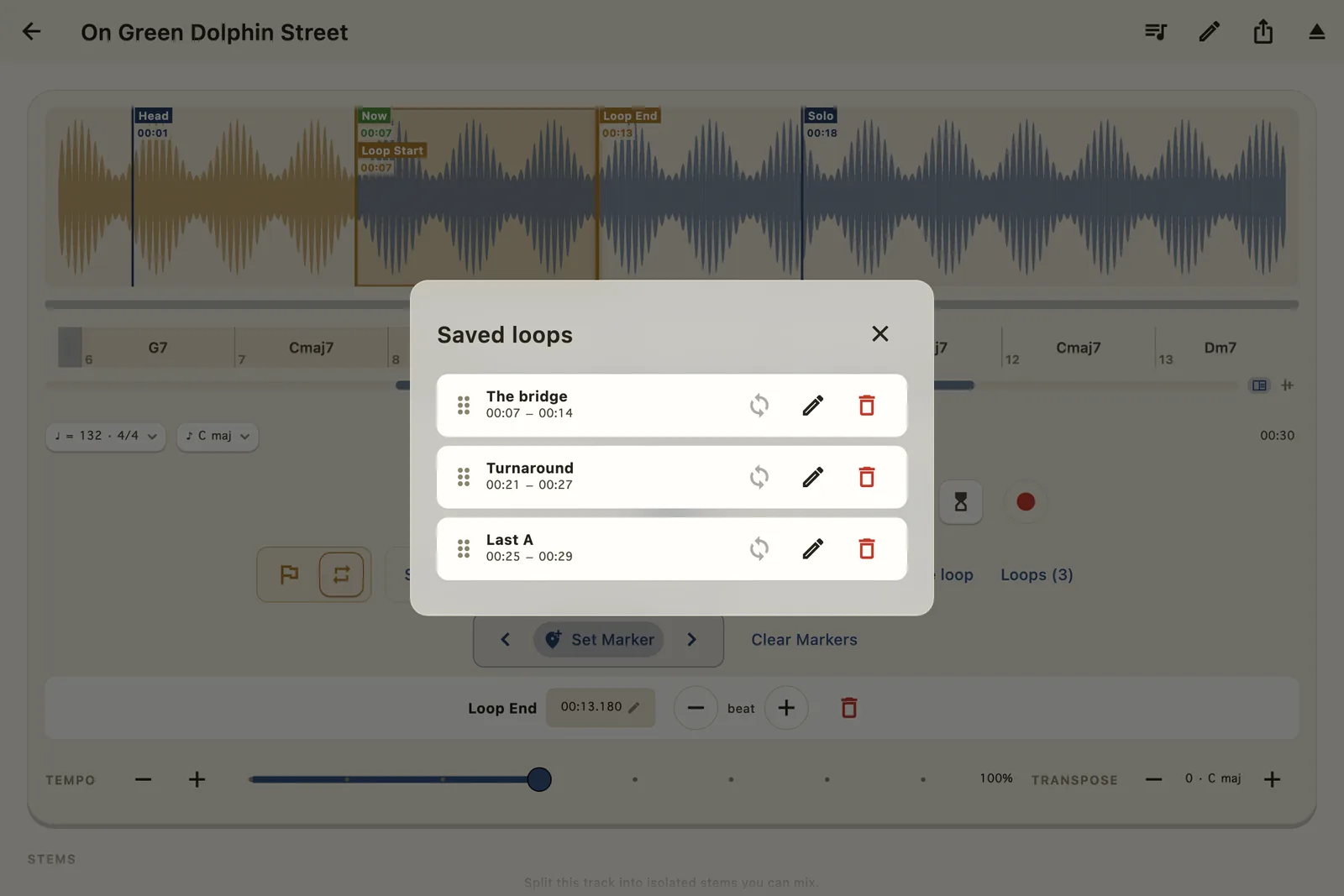
Then save it by name — “The bridge”, “Turnaround”, “Last A” — and tomorrow's practice starts where today's left off.
Try it on the rain Behind this card the storm is looping too — drag the A and B clamps on the staff to move the rain.
04 · Loop trainer
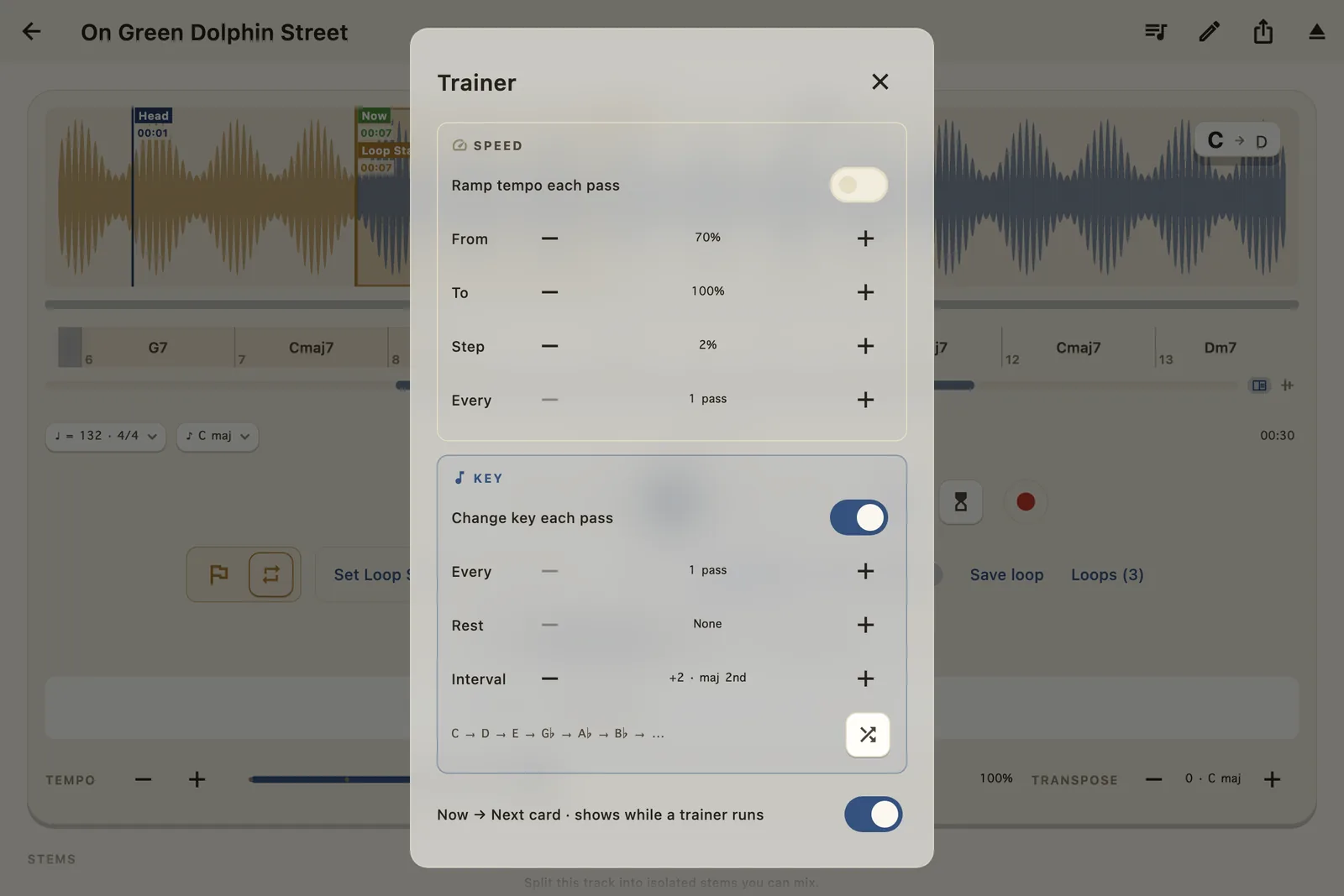
Arm the Speed trainer and every pass nudges the tempo — 70% to full, two points at a time, until you're playing it at speed without noticing the climb.
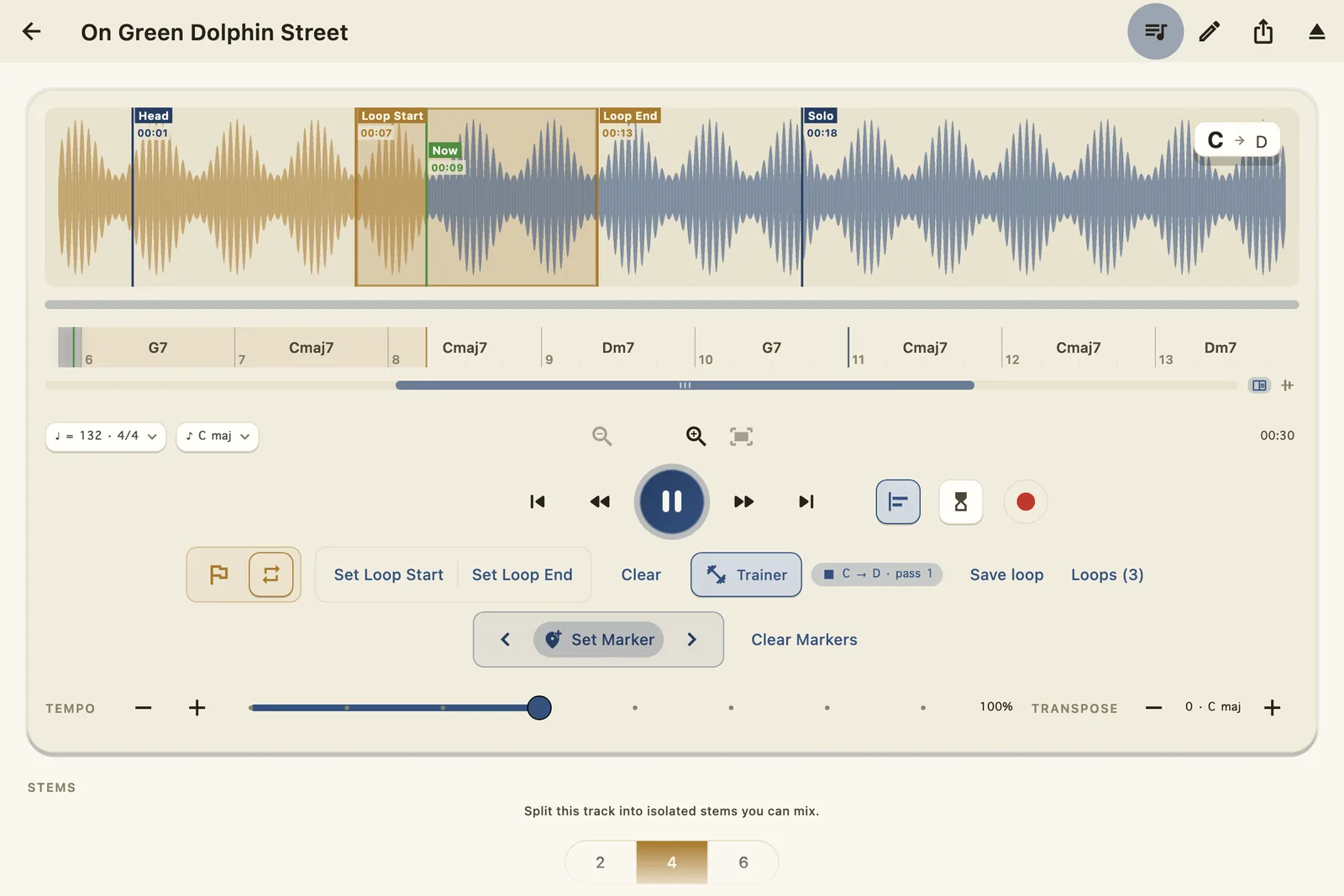
Arm the Key trainer and the loop walks the keys for you: up a whole step each pass, up in fourths, down in half steps — whatever interval you set, for as many passes as you want to sit in each key. Stop, and the song returns to where you started.
04 · The hub
Speed and Key live in one hub and run together if you dare — ramp the tempo while the key walks. The Now → Next card floats over the waveform so tomorrow's key never ambushes you.
05 · Tempo
25% to 200% with studio-grade time-stretching — no chipmunk, no smear, no drift, and magnetic detents at the useful stops. Slow the solo until you can hear every grace note, then walk it back up.
Try it on the rain
The drops fall later — but each one is still the same drop. Tempo 100% · Pitch +0 st, always.
06 · Transposition
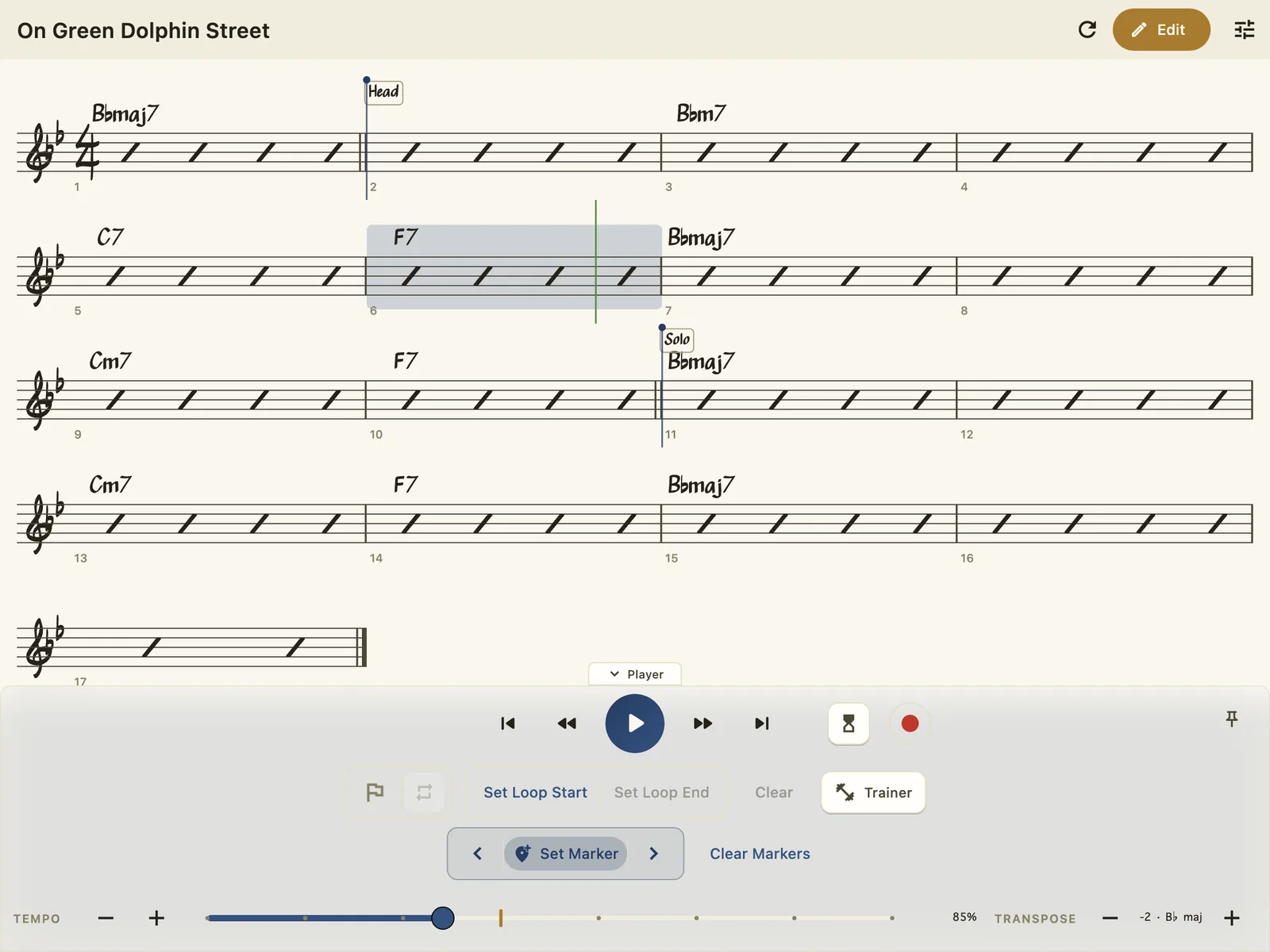
Six half-steps either way, artifact-free. Drop “Green Dolphin” a whole step and everything follows — the chord lane, the key badge, the trainer's key path — re-spelled into B♭ like the chart was written there.
Tenor and soprano players: that's concert pitch handled. Singers: find the key where the bridge stops hurting.
07 · Stem separation
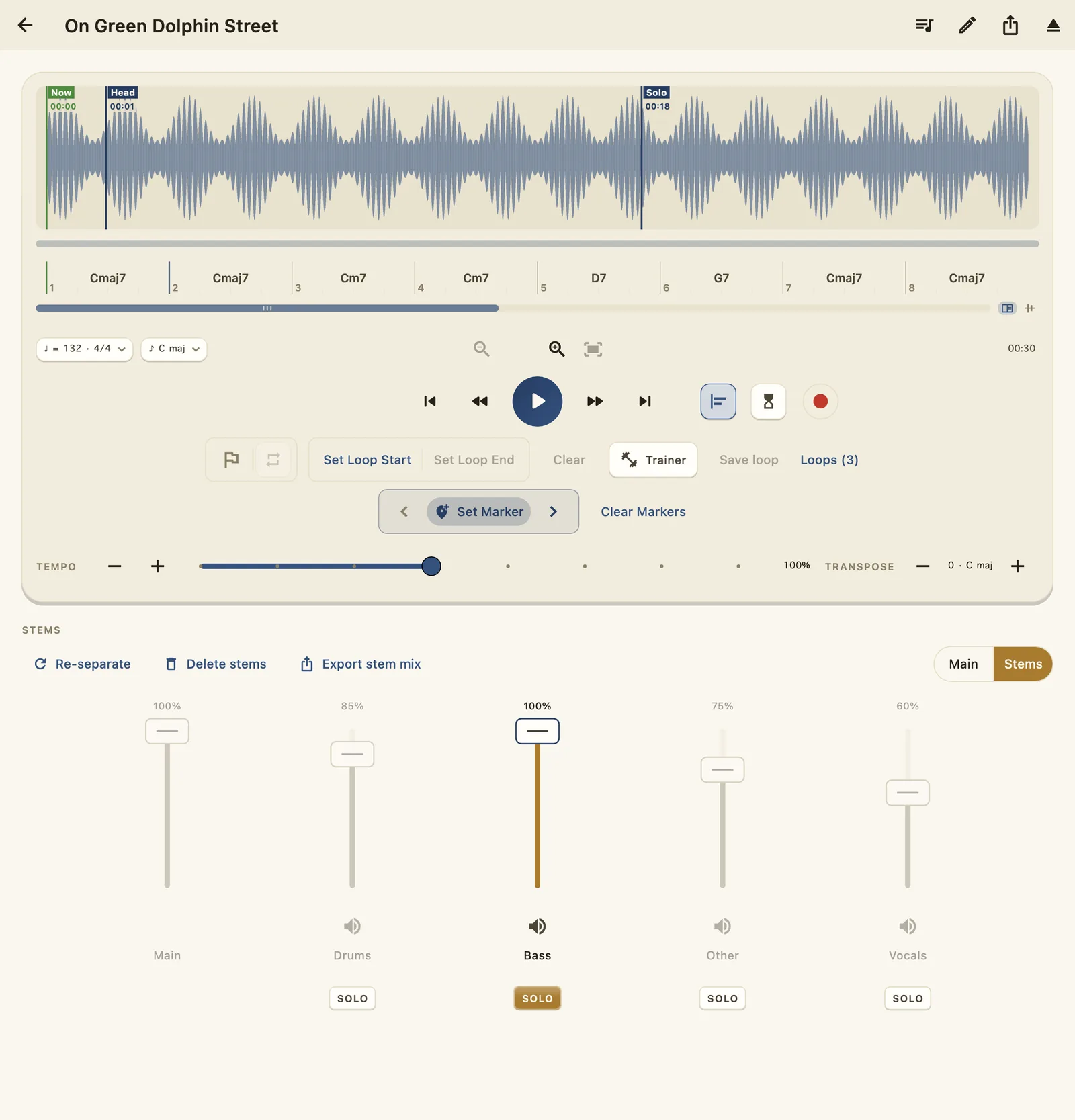
Two, four, or six stems — drums, bass, vocals, the rest — separated by a neural engine that runs entirely on your Mac or iPad. Nothing uploads. Ever. The cloud never hears you practice.
Solo the bass to transcribe the line. Pull the drums and keep time yourself. Mute the sax and the chair is yours.
Try it on the rain
Four rains are falling, one per stem. Silence a color and listen to what's left.
08 · Backing tracks
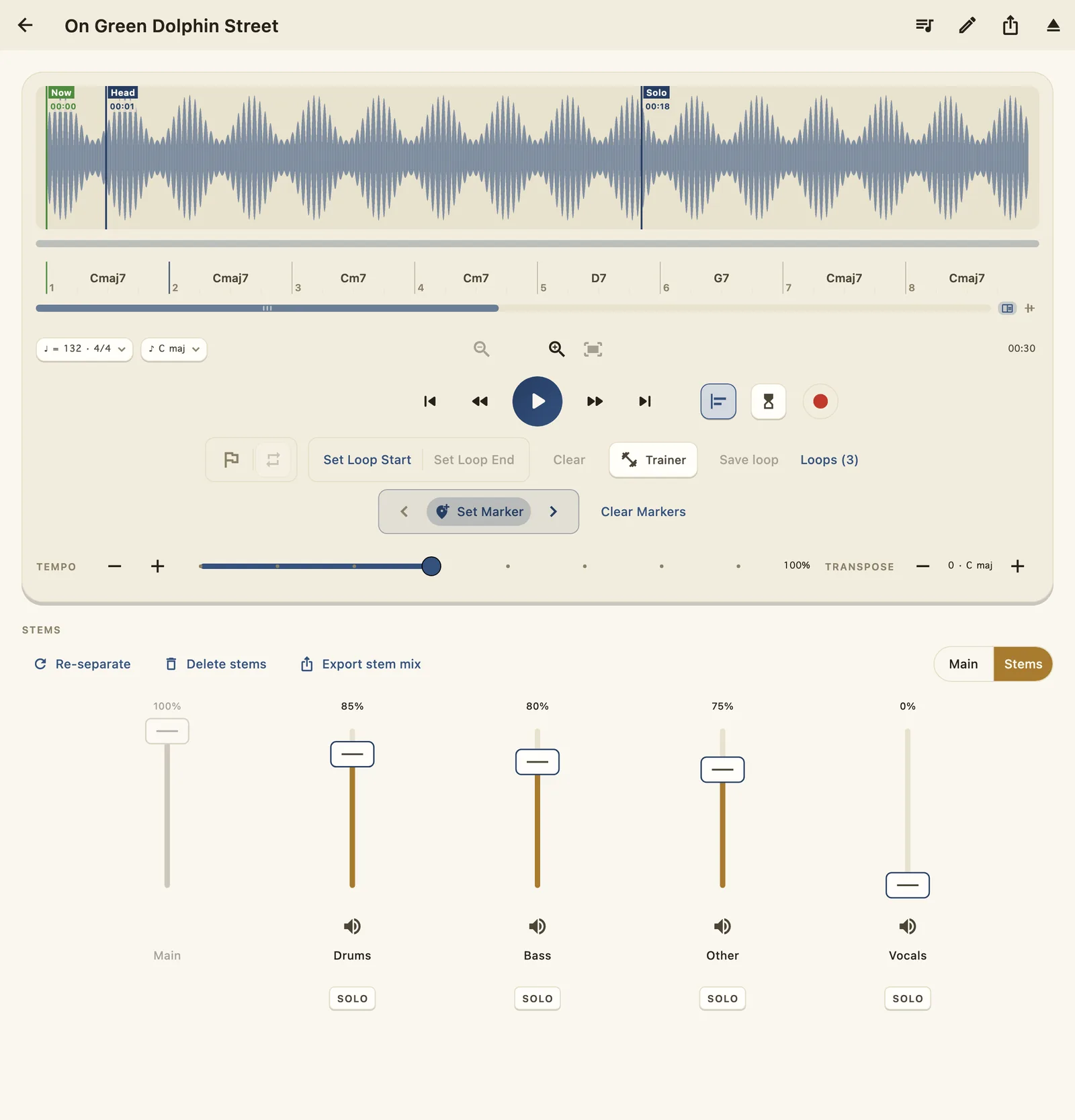
Slide the vocals — or any stem — to zero, balance what's left, and Export Stem Mix bounces a single file mixed exactly as you hear it. Faders, mutes, solo — what you heard is what you get.
An instant play-along for the gig, the classroom, or the shed. Loop exports work the same way: just the phrase, as audio.
09 · Record
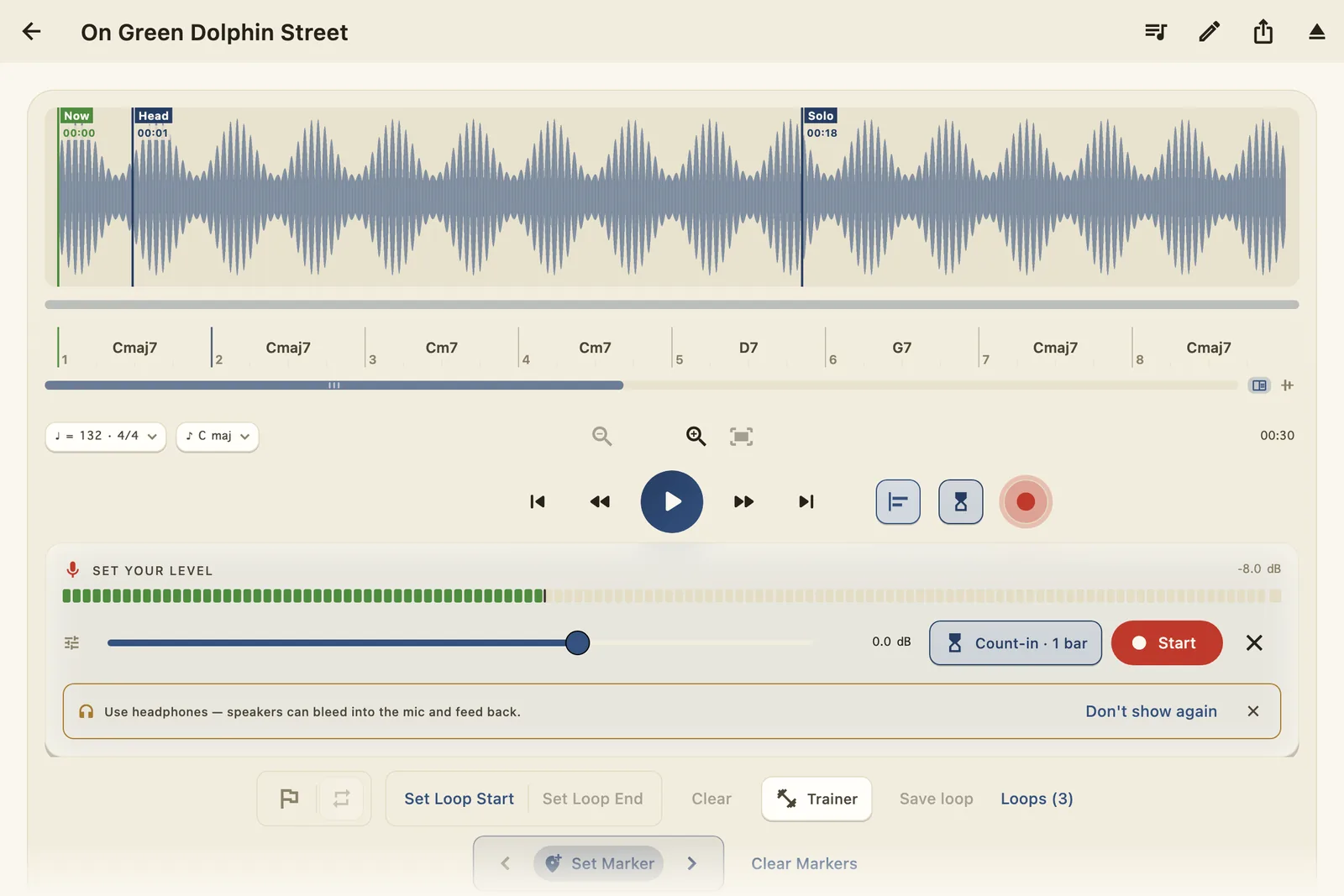
Tap ● and the arm tray springs open — no modal, the Player stays live. Set your level on a real meter (it reads exactly what lands on disk), dial in capture gain, and Start counts you in at the song's own tempo.
WoodShed records your instrument and the backing as separate layers, so in Review you balance the two before it saves one clean take — straight to your Recordings shelf.
Section 02
WoodShed engraves the chart straight from the audio — a Real-Book-style page in the hand-inked jazz face, rhythm slashes and all. And unlike the book on your stand, this one plays.
01 · Follow the chart
Press play and the page reads with you: the current bar carries a highlight, a beat cursor walks the measure, and the page turns itself — the chart scrolls to keep the music in view.
It's the same playhead as the Player, so your loops, markers, and trainers all work from here. Practice from the chart; the audio follows.
02 · Player controls
The playback row rides the bottom of the chart: pull the tempo to 85%, drop the key two half-steps, and the whole page re-engraves — key signature, every chord symbol, the trainer's key path.
Horn players: the chart finally reads in your key while the record plays in it too.
03 · The editor
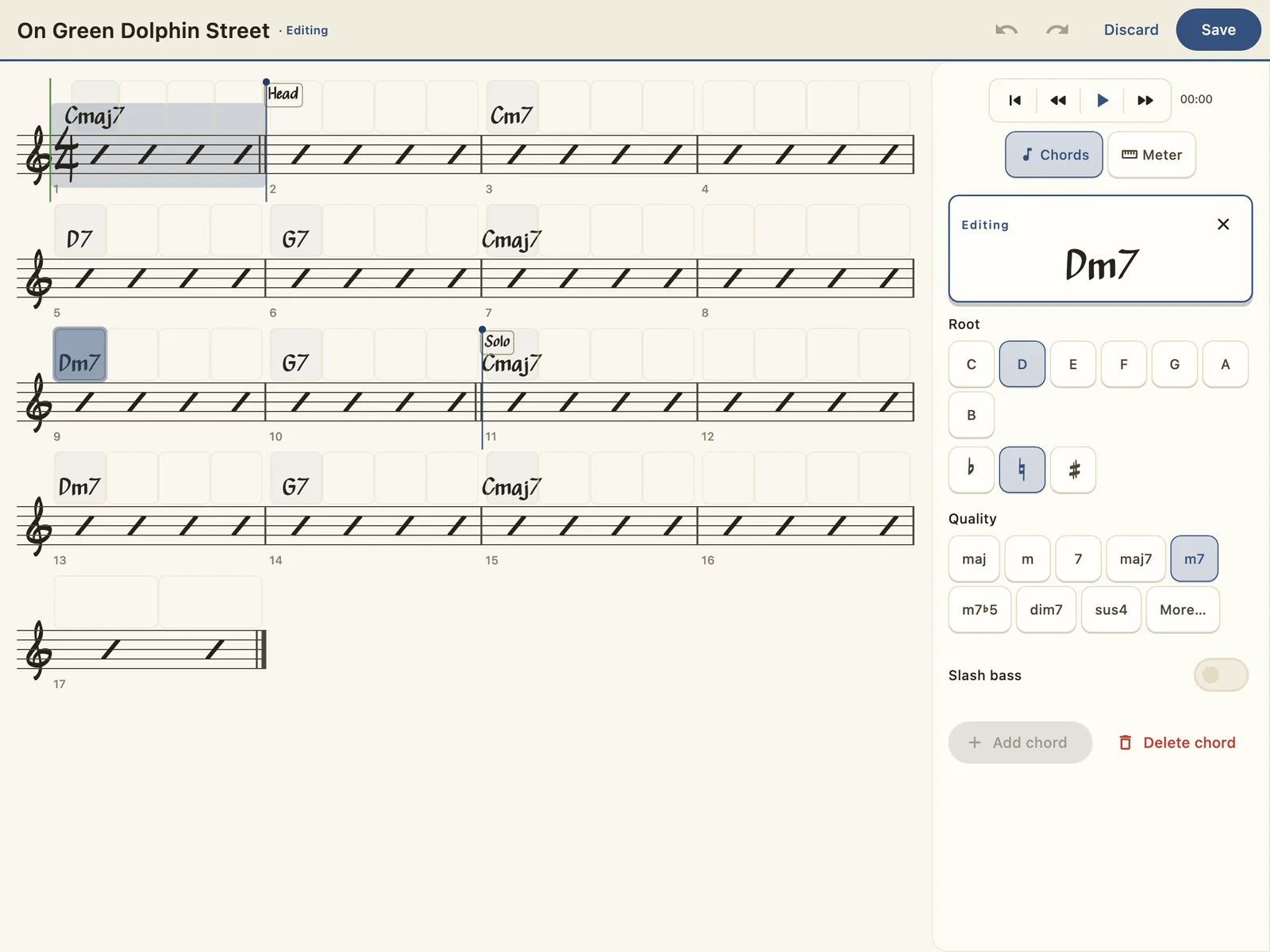
Hit Edit and the chart becomes the editor: tap any chord and the docked palette opens it — root, quality, slash bass. Tap an empty beat to drop a chord in; drag one to move it. Undo covers everything until you Save.
The Meter tool re-bars the song from any measure, and tempo lives right on the playback row — the whole chart, correctable at speed.
Section 03
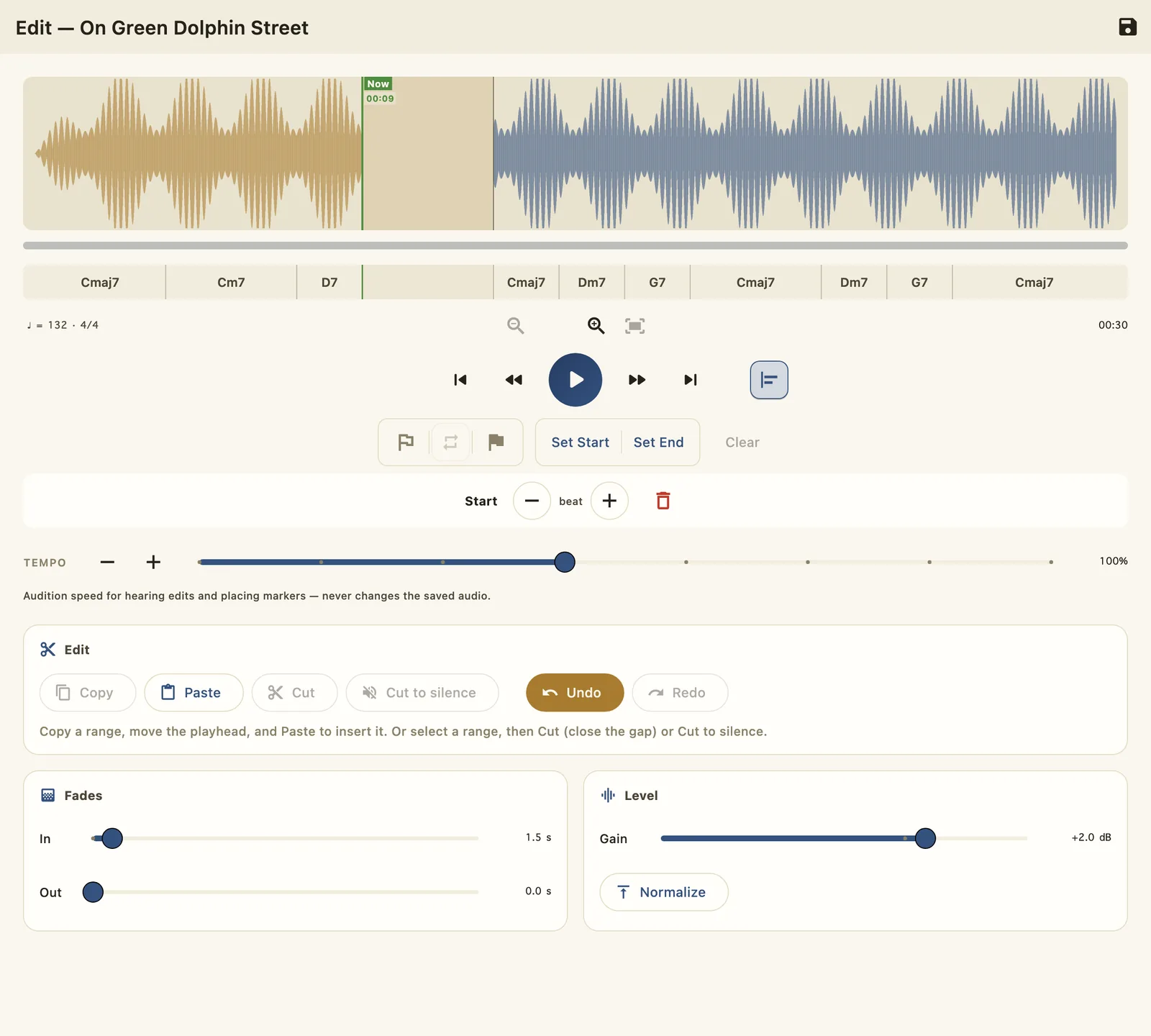
Cut the count-off, silence the false start, paste the chorus twice — non-destructive until the moment you save, and every change audible instantly.
01 · Cut · Copy · Paste
Select to the beat (snap knows the bar lines), then cut — close the gap or leave silence — copy, paste at the playhead, undo, redo. Every edit re-renders from the original audio, so there's no generational loss, ever.
Fades, gain, and one-tap Normalize ride the output stage; audition slower without touching the saved audio. Then Save — or Save as Copy and keep both takes.
Section 04
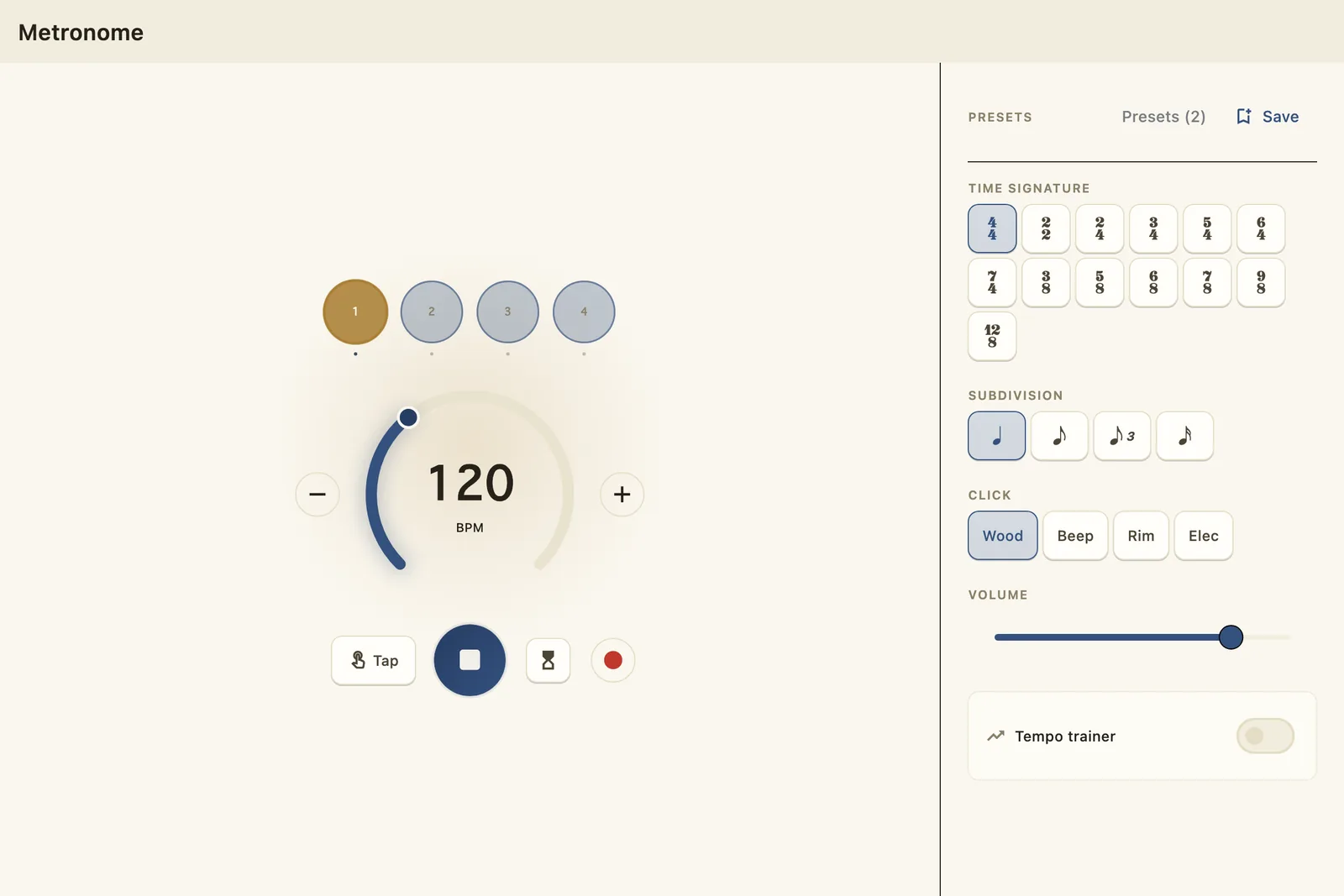
A sample-locked click with a face worth watching — and a trainer that raises the tempo while you're not looking.
01 · Pulse Deck
The beat row blooms on every click — downbeat gold, the rest quiet — so the accent pattern is visible at a glance. Four voices, subdivisions down to triplets and eighths, tap tempo, and presets for the setups you keep coming back to.
Sample-locked in the native engine, so the click never drifts — and when you record from here, the count-in reads the song's own detected tempo.
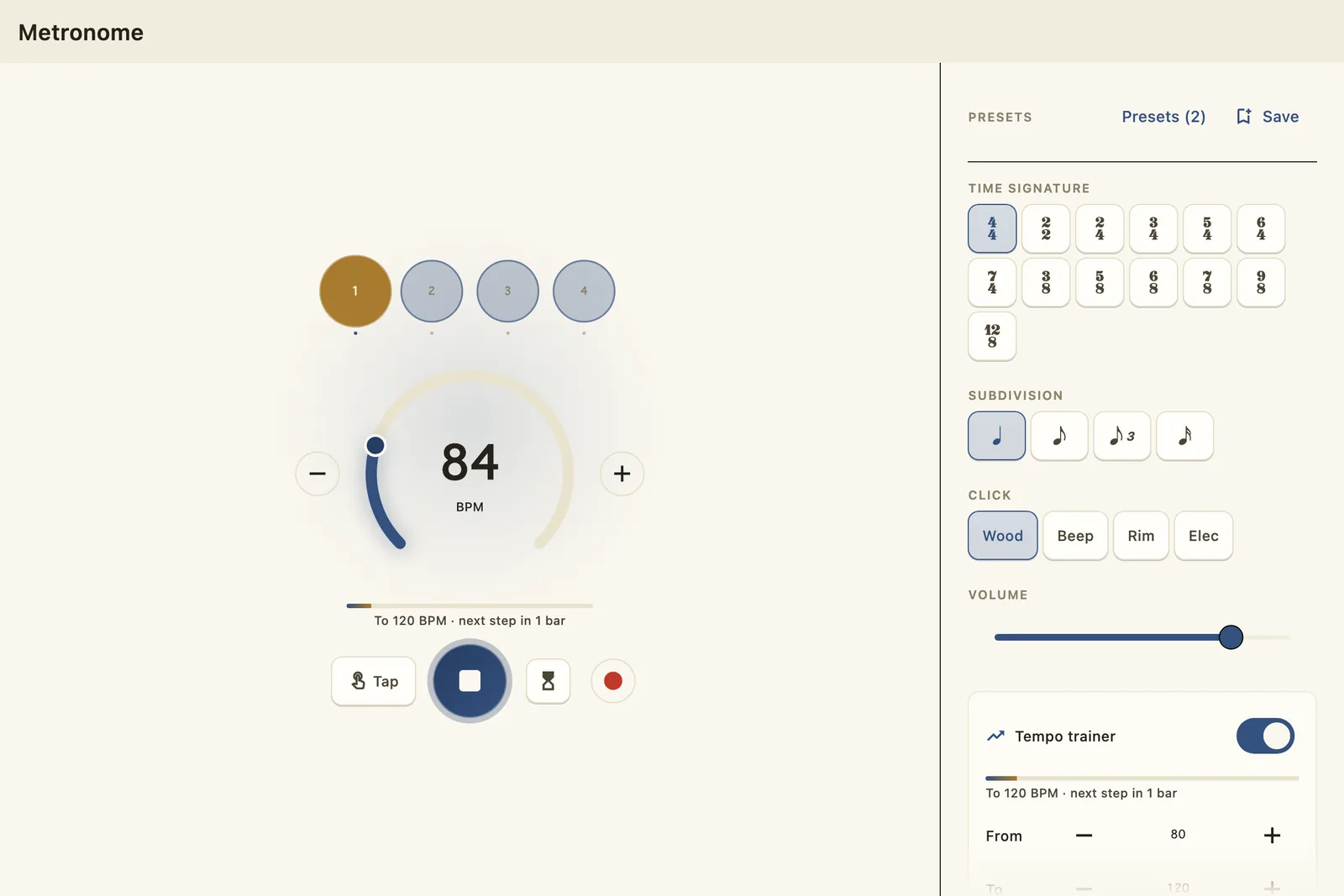
02 · Tempo Trainer
Set From, To, and the step, and the trainer raises the tempo while you play — a nudge each bar, 80 to 120, until the readout says you've arrived. No stopping, no touching the dial; the click leads and you follow.
It's the metronome's cousin of the Player's Speed trainer — the same idea, aimed at scales, rudiments, and everything you practice without a record.
Section 05
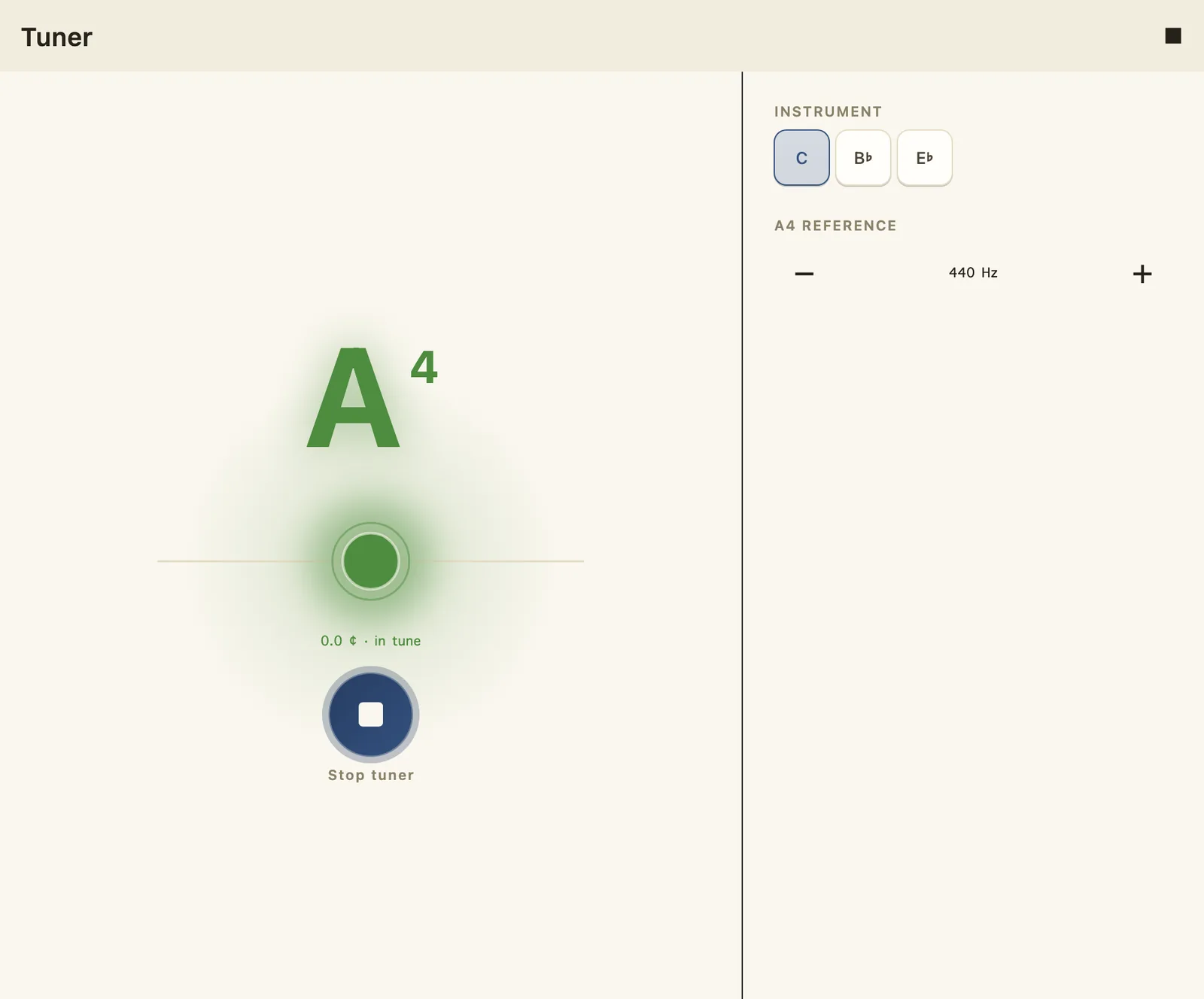
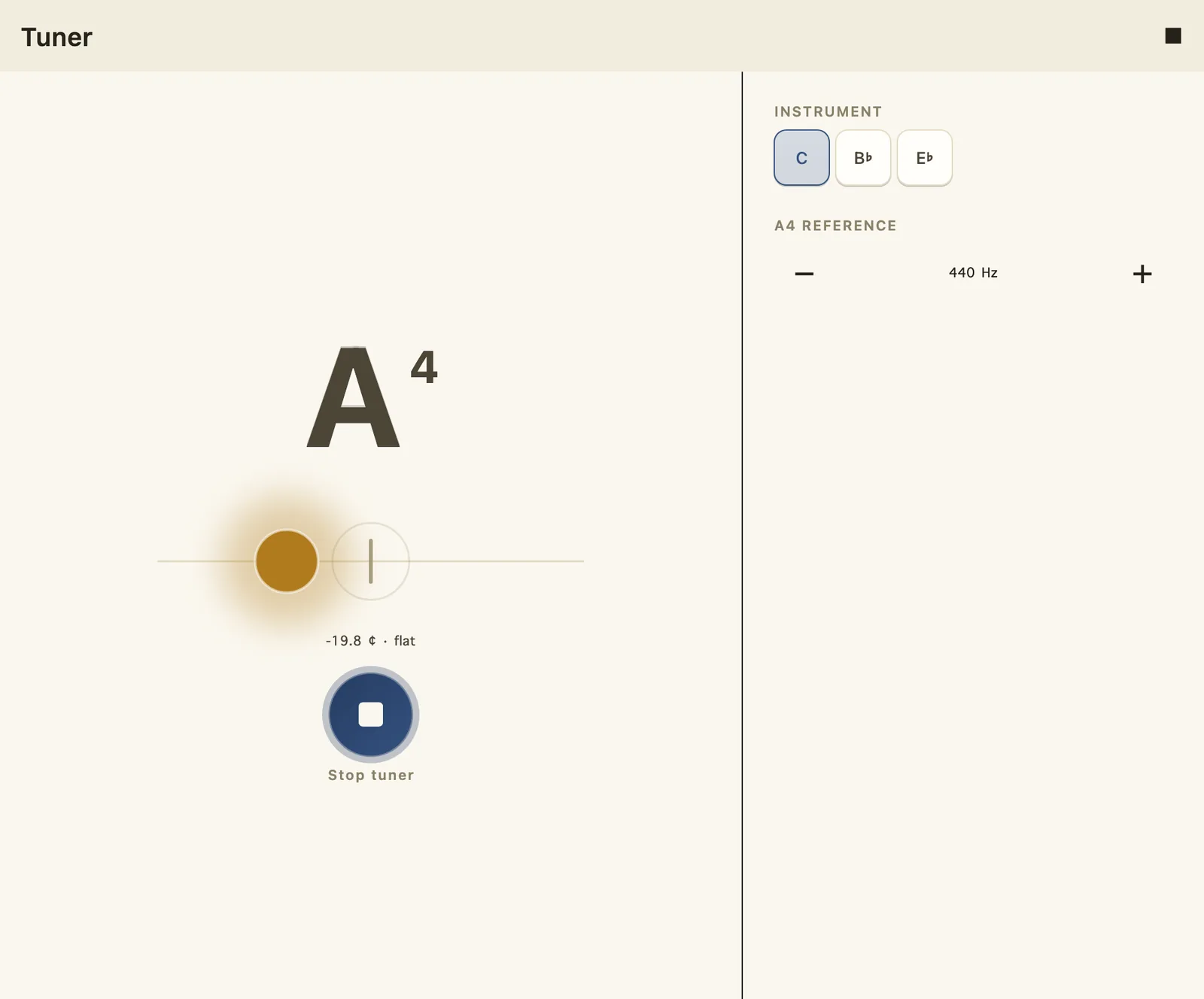
A chromatic lantern: the note at the heart, your pitch orbiting it, and a green bloom when you land.
01 · Pitch Lantern
Your pitch orbits the target — amber when you're shy, red when you're wide, and a green bloom the moment you lock. Cents on the dial, no squinting at needles.
Saxophonists and clarinetists: flip the keycap and the tuner reads in B♭ or E♭ — concert pitch stays under the hood. A4 is yours to calibrate.
Try it on the rain Two gutters are dripping behind this card — almost, but not quite, together. Rest your cursor over the water and hold still: the drips settle into one pulse. That's what in-tune sounds like.
Feedback
WoodShed is built by one working musician, and every note you send is read by the person who writes the code. Bug, wish, or the lick you finally nailed — it all shapes what gets built next.
Write to the shedwoodshed.feedback@gmail.com